Select multiple frameworks
You can select several frameworks for your organisation, such as ISO 27001, C5 and NIS2. The dashboard shows progress separately for each selected framework.
This feature is available from version 1.23.0. Changing the selection requires write permission for Applicability (SoA).
Select and save frameworks
- Open Applicability in the left navigation.
- Expand Frameworks and evidence at the top.
- Expand Select frameworks inside that section.
- Tick the frameworks you need, checking each version. This example selects ISO 27001 2022, BSI C5 (Basis) 2026 and NIS2 Anforderungen 2022/2555.
- Click Save. The number next to Frameworks and evidence shows how many frameworks are saved.
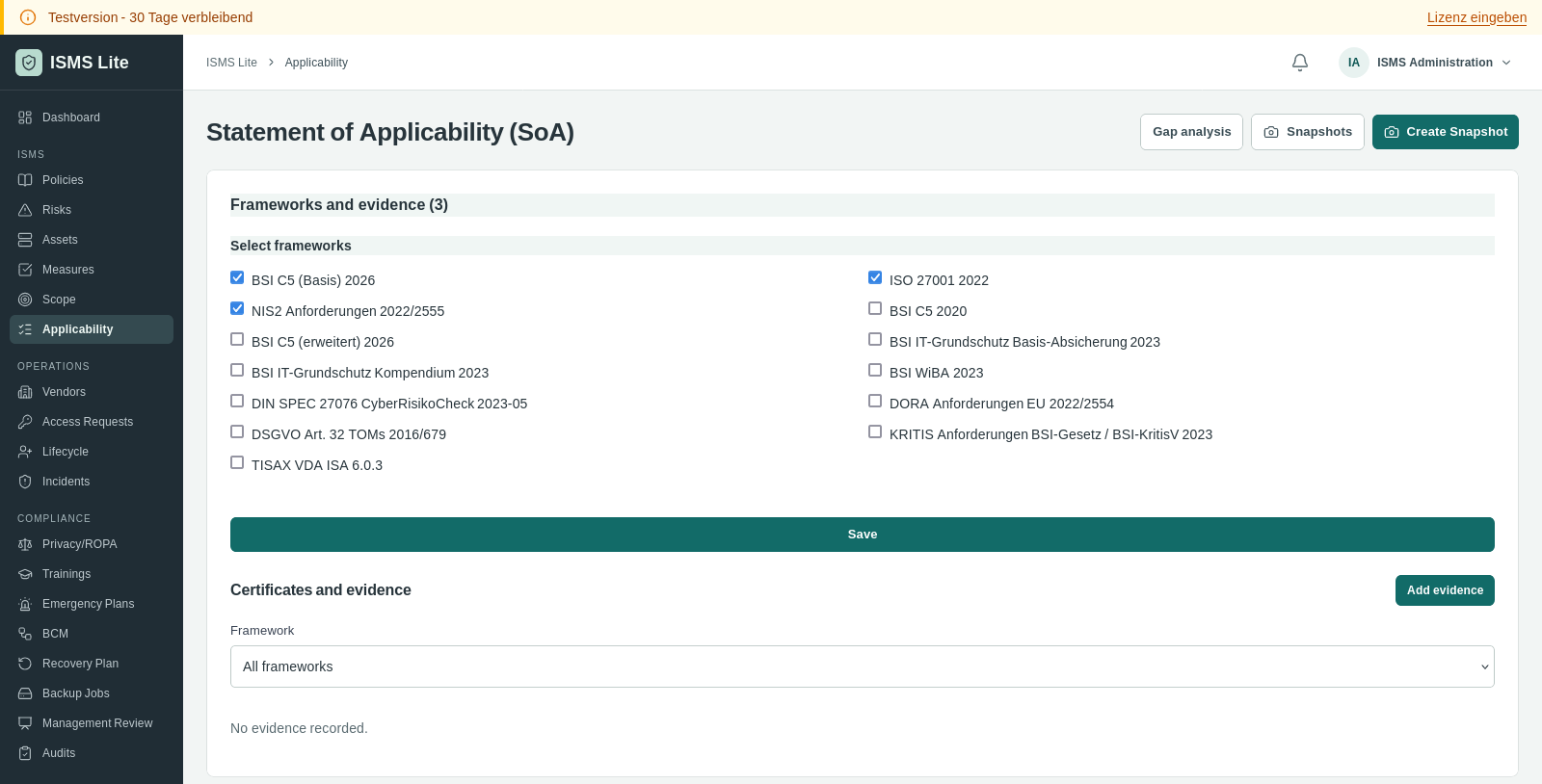
The selection applies to the organisation. The separate Framework field below this section only switches the SoA being displayed. It does not change the shared selection.
View progress in the dashboard
Open Dashboard. Selected frameworks shows one row per selected framework, including its version, progress and counts for Implemented, Partial, Open and Not applicable.
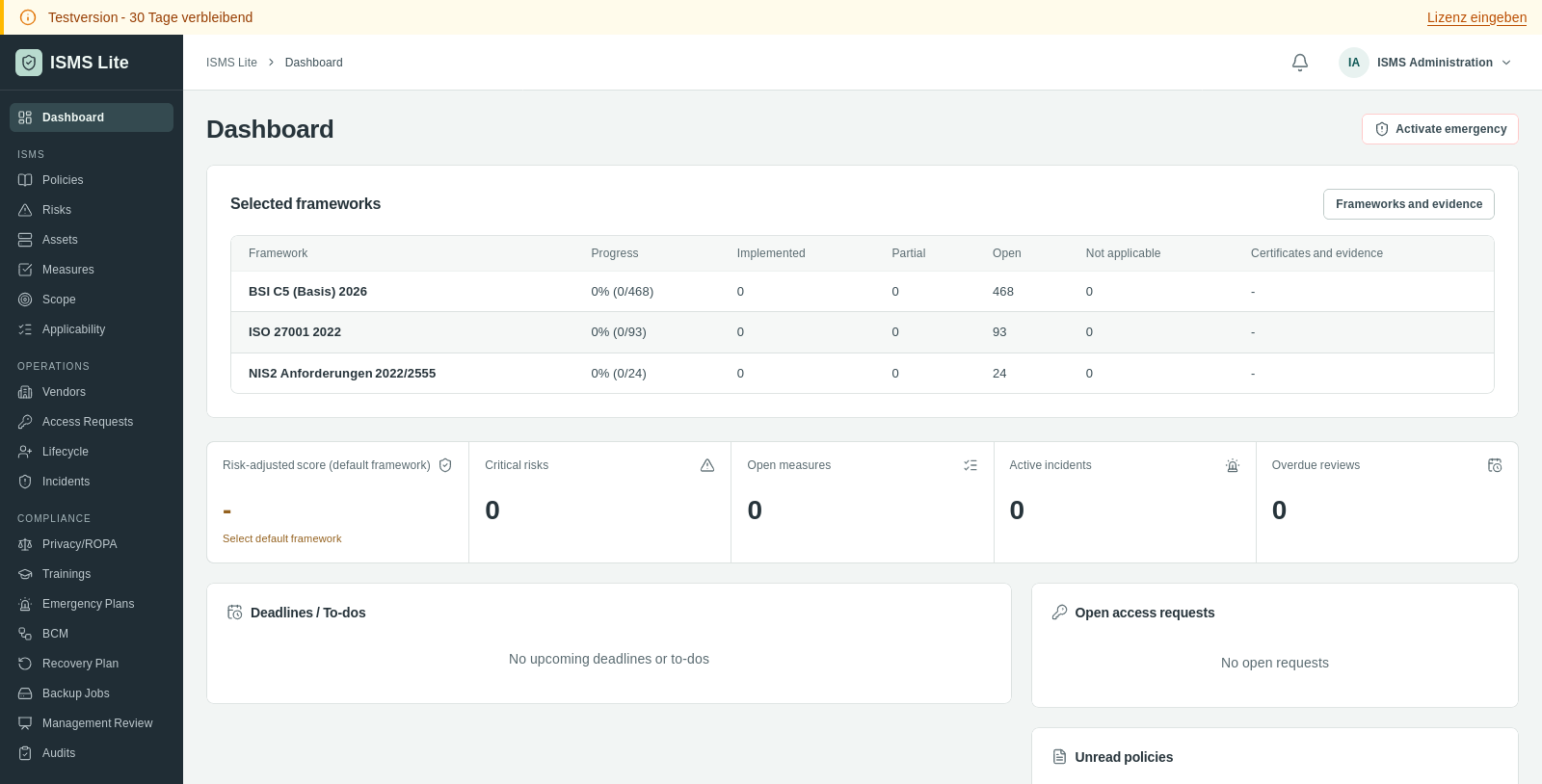
Click a framework name to open its SoA. Progress is based on applicable controls assessed as implemented. Controls without an assessment count as open. Controls marked not applicable are excluded from the progress calculation.
No controls have been assessed in this example, so all three frameworks show 0 percent.
Change the selection later
Use Frameworks and evidence in the dashboard to return to the selection. Expand Select frameworks, change the checkboxes and save again.
Deselecting a framework removes it from the dashboard overview. Its assessments, links and recorded evidence remain available.